A caption can lose its date between the editor and the public page. A source note meant to stay in the draft can appear in print. Worse, a photograph can end up beside a named gig and seem to document a show it has nothing to do with. Before publishing a music archive post, check the page a reader will actually see.
For an independent archive of Finnish thrash metal from the late 2000s through the mid-2010s, those mistakes can distort the record. The same checks apply to other research-led blogs: they catch problems introduced after the draft is finished, including broken formatting, misleading media placement, inaccessible material, confusing links, and settings that did not save as expected.
1. Confirm that the draft is ready to publish
Start with the research, not the Publish button. A final page check cannot fix an article whose central claim remains unverified. Be clear about the subject, the period covered, and the evidence behind each material claim.
- Identify the main subject: A reader should be able to tell whether the post concerns a band, release, performance, venue, or broader scene development.
- Check the scope: If the article covers a particular period or place, keep later developments and unrelated scenes from drifting into the account.
- Resolve publication-blocking uncertainties: Qualify or omit an unconfirmed release date or disputed lineup, or hold the post for further work. Do not present either as settled fact.
- Separate fact from interpretation: Describing a recording's fast, tightly picked riffs is different from claiming it influenced an entire regional scene.
- Clear quotations and media: Check transcriptions and confirm that you have the rights or permission needed to publish included images or audio.
Suppose a post discusses a self-released demo and a festival appearance. A photograph of a flyer is not, by itself, proof that the band played; the surrounding evidence has to support that conclusion. Make that distinction in the copy before layout. The final pass is for checking how claims appear on the page, not reconstructing the research at the last minute.
2. Check the title, opening, and page identity
The title, URL slug, and first paragraph travel beyond the article. They may appear in archive listings, search results, social previews, or shared messages, so each should describe the piece you actually wrote.
- Read the title against the body. A post about one early recording should not sound like a full discography. Include a band name or specific subject when it helps distinguish similar posts.
- Inspect the slug. Keep it short, readable, and stable. Remove generated fragments and duplicate words before publication. Once a page is live, changing its slug may break bookmarks and internal references.
- Test the opening on its own. Give readers a concrete point of entry and the context they need, even if they have not read an earlier installment.
- Check the excerpt or meta description. An automatically generated excerpt may cut off mid-sentence or pull in an editorial note. Write a separate description if the automatic one is unclear.
Put the title beside the opening paragraph. Do they point to the same subject and time frame? A mismatch is much easier to fix before the page circulates.
3. Inspect the article as a page, not a manuscript
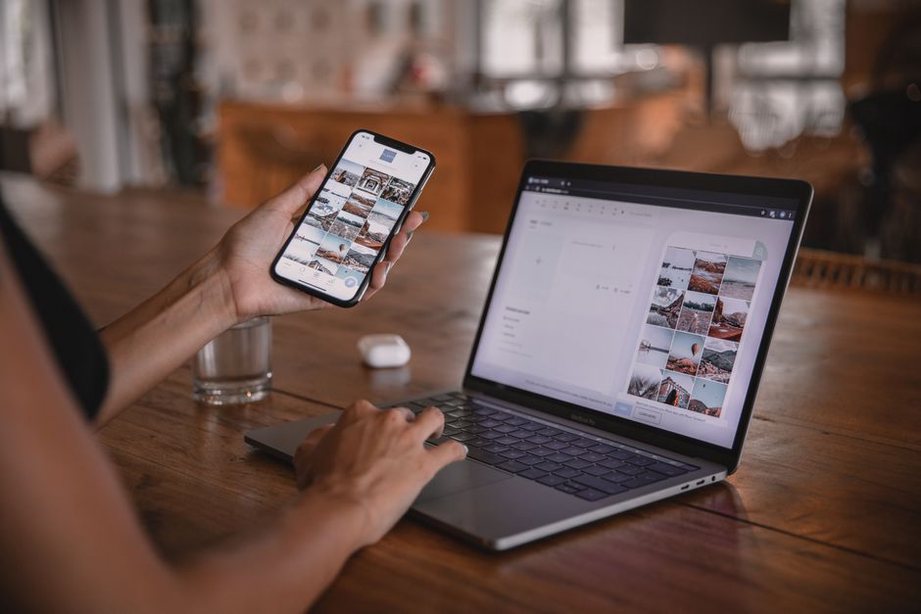
A publishing system's theme and block settings can change the appearance of clean draft text. Preview the entire post at desktop and narrow mobile widths, not just the first screen.
Headings and reading order
Headings should mark real shifts in subject. A late addition about a recording's production does not belong under live performances. The page title usually serves as the top-level heading; give the body a logical sequence of lower-level headings rather than using bold paragraphs as substitutes.
Scan just the headings. They should outline the argument or chronology. If the post moves from an early release to later touring and then back to an earlier lineup, either change the order or explain the return.
Lists, quotations, and emphasis
Lists work well for discography details or a few distinct facts, but they can flatten important qualifications. A date, title, and format may fit in short entries; an uncertain attribution needs an explanation. Check quotation marks, italics, and bold text after pasting material from a document editor.
Remove empty blocks, repeated captions, stray draft labels, and headings stranded at the bottom of a screen. If the theme generates a reading-time estimate or table of contents, compare it with the visible page.
4. Verify every visible media element
Sleeve scans, flyers, ticket stubs, and performance photographs add valuable detail to a music archive. They can also blur the line between evidence and illustration. Check each asset in its published position, alongside its caption.
- Confirm identity: Does the file show the release, person, venue, or event named beside it?
- Confirm dates and labels: Check any year, lineup, or location in the caption against the archive's available material.
- Check permission and credit: Record the permission or licensing basis and place any required credit where it belongs.
- Write functional alt text: Describe information readers need from the image without repeating the entire caption. Decorative imagery may not need descriptive alt text, depending on its implementation.
- Inspect the crop: On a narrow screen, a cropped flyer may hide the date or band name that makes it useful.
- Check audio or video embeds: Use only authorized material. Confirm that each embed loads, is correctly identified, and does not stand in for a written explanation readers need.
Do not place a generic concert photograph beside a named gig if readers might reasonably take it as a photograph of that show. If its provenance is unrelated or unknown, label it as illustrative or use something else. When an image is evidence, leave enough surrounding detail visible to show what it establishes—and what it does not.
5. Test links and supporting references
Open every link from the preview. Check the destination, the linked text, and whether the sentence still makes sense without a click. A post does not need a link where there is no useful destination.
Place internal links where they add context. A discussion of how the archive presents evidence, for example, could lead naturally to a case study on documenting an underground music archive. Do not insert a related post simply to create another path through the site.
For references that are not linked, give readers enough information to identify them: a release or publication title, a relevant date when known, and the type of source. Distinguish a contemporary announcement from a later recollection. If readers cannot access a source, do not imply they can check its contents on the page.
6. Review discoverability without rewriting the history
Categories, tags, excerpts, and social descriptions help readers find a post. They must still reflect its scope. A note on one band's release does not become a history of the scene because it sits under a broad category.
Choose a primary category that fits the archive's existing organization. Add tags a reader could use to find related material, such as a band, location, release format, or defined period. Avoid near-duplicates caused by inconsistent spelling or punctuation. Check names with diacritics, and apply any transliterations consistently.
Inspect the featured image in listings and social previews. A crop may remove the identifying text from a sleeve scan; a performance photo may suggest an undocumented connection to the article. Preview wording should retain the caution of the post, not turn a qualified historical claim into a certainty.
7. Run a short accessibility and usability pass
Readers may arrive on a small phone, use a keyboard or screen reader, or view the page with images disabled. Check what each of them would need to follow the article.
- Read heading levels in order. No section should depend on visual size alone to show its place.
- Check link text out of context. A band name or subject is more useful than “more information.”
- Put essential details from a flyer or scan in the article text when they matter to the account.
- Check tables on mobile. For a few release entries, a short list may be easier to read.
- Play embedded media; provide captions or transcripts where needed, and do not make audio the only route to a factual point.
- Look for low-contrast captions, tiny credits, and formatting that becomes hard to follow when zoomed.
You need not transcribe every visible word on a sleeve. Give readers the information required to understand the post, while letting the image retain its visual detail.
8. Check publication settings and timing
Before pressing Publish or Schedule, check the settings that affect what readers see. Confirm the date and time zone, especially for a post scheduled around an anniversary. Publishing an hour early in the archive's local time may put the page under the previous date for some readers.
Check whether the post is public, private, password-protected, or scheduled. Confirm the byline if editors share an account. If comments are enabled, decide who will monitor them and handle corrections or new evidence. Check its place in any series or menu, but do not add it to a sequence before the surrounding pages are ready.
Save the draft, then reopen the preview from that saved version. Otherwise, you may be reviewing changes visible in the editor that were never stored.
9. Perform a live-page inspection
Publication is not the last check. Open the public page in a fresh browser session, preferably while signed out. An editor's view can hide permission problems, unpublished embeds, or caching differences.
- Confirm that the page loads at the intended address with the correct title, author, and date.
- Scroll through the live article on desktop and mobile. Check images, captions, headings, lists, and embeds.
- Open important internal paths, including the category page if the post should appear there.
- Inspect the sharing preview if one is available; cached versions may take time to update.
- Record the publication address and final date in the archive's editorial log.
Correct a typo when you find it. If a factual error changes the post's meaning, document the change and consider a visible correction note under the archive's policy. Quietly replacing an uncertain historical claim can leave earlier citations or reader comments difficult to interpret.
A reusable final-pass checklist
Keep a short version of these checks in the publishing workflow so no one has to rebuild the list from memory:
- Claims: No unresolved factual uncertainty appears as settled fact.
- Identity: Title, slug, opening, excerpt, and date describe the same post.
- Page: Headings, lists, quotations, and mobile layout render correctly.
- Media: Identity, permission, caption, alt text, and crop have been checked.
- Navigation: Links open correctly; categories and tags fit the subject.
- Settings: Visibility, author, schedule, and comments match the plan.
- Live version: Someone has opened and inspected the public page after publication.
Assign that last check to a named editor and log what they did. “Public page opened on phone and desktop; flyer caption and release year checked; two internal links tested; published address recorded” gives the next editor something useful to work from if a correction or formatting problem surfaces later.