
A bright ceiling bulb can still leave your desk hard to use. Your hand throws a shadow across your notes, or the bulb shows up in your monitor. Look at the surfaces you actually use—the screen, keyboard, paper or equipment—and put light where it helps you see them without shining into your eyes.
Build the lighting around the work
Think about three jobs light needs to do in a home workspace. Ambient light makes the room comfortable to move around in. Task light helps with close work, such as reading a booklet or sorting small items. Daylight can do either job, though its direction and strength change through the day. You do not need a separate fixture for each: the distinction helps you spot what is missing before you buy anything.
For screen work, avoid sitting in a dark room with a bright display. Keep some light on the wall or desk around the monitor, and set the screen brightness to suit the room. Printed photographs, record sleeves and other small text need light on the material itself, preferably from a movable lamp. Turning up the monitor will not help you read the paper.
Check daylight before placing a lamp
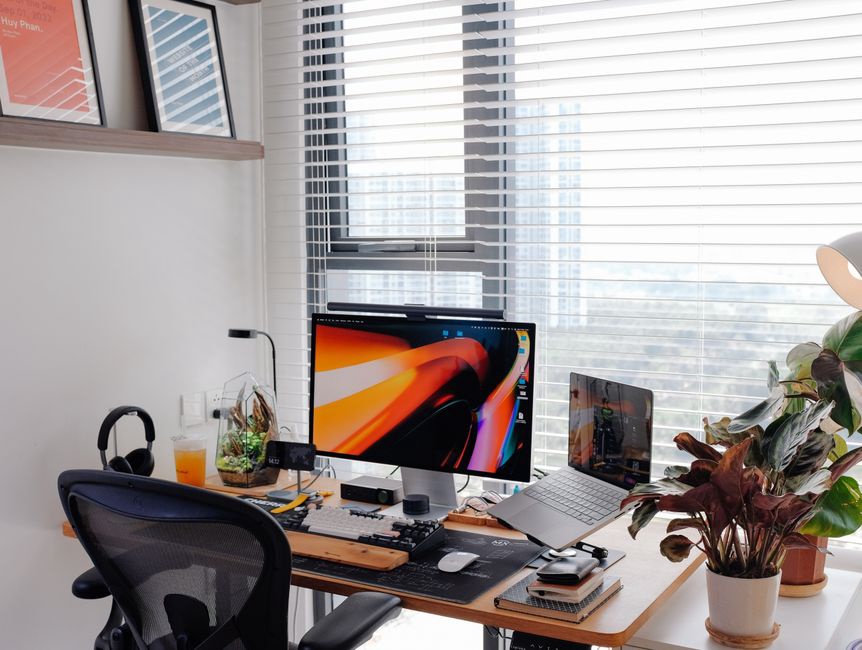
A window behind the monitor creates a bright background that competes with the screen; one behind your chair may reflect in it. Daylight coming from the side often works better, especially if blinds or curtains can soften direct sun. Check the desk at the hours you normally use it, not just when you set it up.
The light will also change with the season and weather. A shade gives you control over glare, while an electric lamp keeps the desk usable after dark. If you handle photographs or printed artwork, do not leave them in direct sun while you work. Move the materials or close the shade rather than trying to overpower the sunlight with a lamp.
Choose a task lamp for its reach and control
A useful desk lamp lights the work surface without putting a bare, dazzling bulb in view. Look for a tilting head, an arm that reaches your usual work area, and a base or clamp that sits securely on the desk. A shade or diffuser can soften harsh light, provided it still lets enough light reach the page.
Put the lamp on the side opposite your writing hand to keep its shadow off the paper. If you use both hands or spread documents across the desk, an adjustable arm will serve you better than a fixed spotlight. Try the position while seated: can the light reach the far edge of the page without blocking the monitor or shining in your face?
Match light output to the task
Bulb packaging may list lumens, a measure of total light output. Lux measures the light that reaches a surface. Lumens alone will not tell you how bright your desk will be; the shade, distance and direction all affect it. If a lamp feels too strong up close but too weak when moved aside, a dimmer gives you more room to adjust.
For ordinary reading and writing, a commonly used reference is around 500 lux at the work surface, though comfort varies and fine visual work may need more. Do not chase the number at the expense of the room around you. Check whether you can read small text without leaning in and whether the surrounding light feels comfortable.
Pay attention to color and consistency
Color temperature, measured in kelvins, describes how warm or cool white light looks. Warm white often feels comfortable in the evening; neutral white can help you inspect paper without looking markedly blue. Packaging figures make bulbs easier to compare, but nearby daylight and other lamps affect the result. Two noticeably different whites aimed at the same desk can be distracting.
If you assess color in photographs, prints or cover art, look at color rendering index, usually marked CRI. A CRI of 90 or above is a useful shopping criterion for that work, though it cannot guarantee perfect color matching. Compare items under consistent lighting, and do not judge subtle print colors by a screen alone. For typing and calls, placement and glare control matter more than a premium color specification.
Remove glare before adding brightness
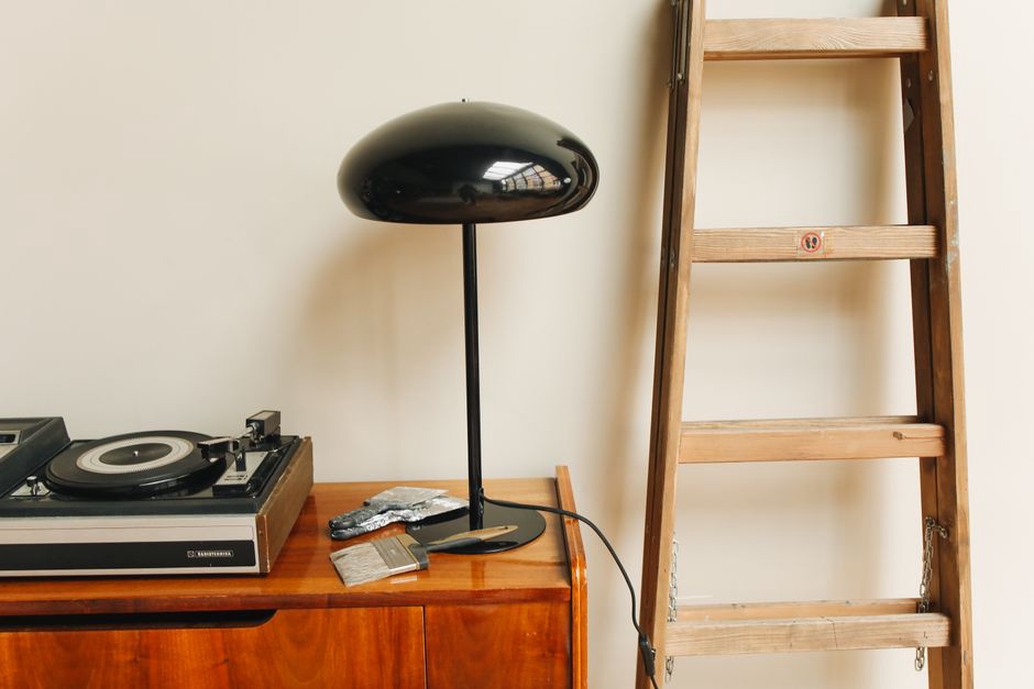
A reflection can hide detail on a display, glossy sleeve or framed photograph even in a bright room. Turn the lamp head or shift the object before raising the light output. Lighting glossy material from one side often gives you a clearer view than aiming a lamp straight down from your line of sight.
Notice bright points at the edges of your vision, too. Exposed bulbs and LED strips pointed toward your chair can become uncomfortable over a long session. If the overhead light reflects in your screen, try a shade, change your seating position, or lower its output and use task lighting instead. A monitor light bar may suit your desk, but check that it lights the desk rather than reflecting in the display.
Test the setup in the evening
A desk that feels balanced at noon may feel stark under one small lamp at night. Sit where you normally work, switch on the lights you would actually use, and check the screen, keyboard and paper. Notice where your head or hands cast shadows. If the wall behind the monitor is very dark, a modest indirect light can ease the contrast between screen and room.
- For video calls: place a soft light in front of you or slightly to one side, rather than relying on a bright window behind you.
- For shared rooms: use a directed, dimmable task lamp to light your desk without flooding the room.
- For cramped desks: check clamp clearance and cable routing before buying an articulated lamp.
Check the practical details as well: the fixture should be stable, its cable should stay out of walking paths, and the bulb must work with any dimmer you use. LEDs generally use less electricity and produce less heat than older incandescent bulbs, but follow the fixture instructions for bulb type and wattage. Before buying anything, try your movable lamp on the other side of the desk tonight. It might clear the shadow from your page.