
A 500 Mbps plan can be a worse deal than a 300 Mbps plan if it uploads more slowly or costs much more after the introductory offer ends. Think about a busy evening at home: someone’s streaming music, someone’s on a video call, and a backup of digitized gig flyers and lossless recordings is running in the background. Can the plan handle all three at once? And what will it cost over the time you expect to keep it?
1. Make an address-specific shortlist
Check availability with your full address, including the flat number. A provider can serve your street without serving your building, and similar plan names can hide different connection types. Note the type of connection, the speeds on offer, the estimated installation date and any work the provider needs to do. If you rent, ask whether you need permission for the installation or an appointment to get into a shared utility room.
Check your rent or service charge before shopping around. If a basic connection is already included, compare the extra cost of upgrading it with what you’d pay for an outside plan. The standalone retail price of the building’s service isn’t what you’d pay. Check, too, whether you need to supply your own router.
2. Size the plan for overlapping activities
Look at what people do online at the same time. An afternoon spent looking up an independent release won’t tell you much about an evening when a video call, a film stream and a cloud backup overlap. Use the published requirements for the services you rely on. Add up download and upload needs separately, and leave some room for fluctuations. Don’t count devices that are usually idle.
- Download speed matters when several people are watching video, downloading large files or installing updates. Looking up a discography or streaming music generally takes far less bandwidth than high-resolution video.
- Upload speed matters for video calls, cloud backups and sending large files. Read the upload figure separately: two plans with the same download speed can have very different upload rates.
- Latency and stability matter for live conversations and online games. Latency is the time it takes to send data and get a response. Paying for more speed won’t necessarily fix an unstable connection, though spare capacity can help if heavy transfers are causing the delays.
When estimating transfer times, remember that file sizes are measured in bytes and connection speeds in bits. A 10 GB folder of gig photos or audio files takes about 67 minutes to upload at a steady 20 Mbps, or about 13 minutes at 100 Mbps, before accounting for overhead or slowdowns. If the backup runs overnight once a month, that saving may not be worth a higher bill. If it runs several times a week while someone’s on a call, try scheduling it for a quieter time or consider a plan with faster uploads.
3. Compare the connection before comparing tiers
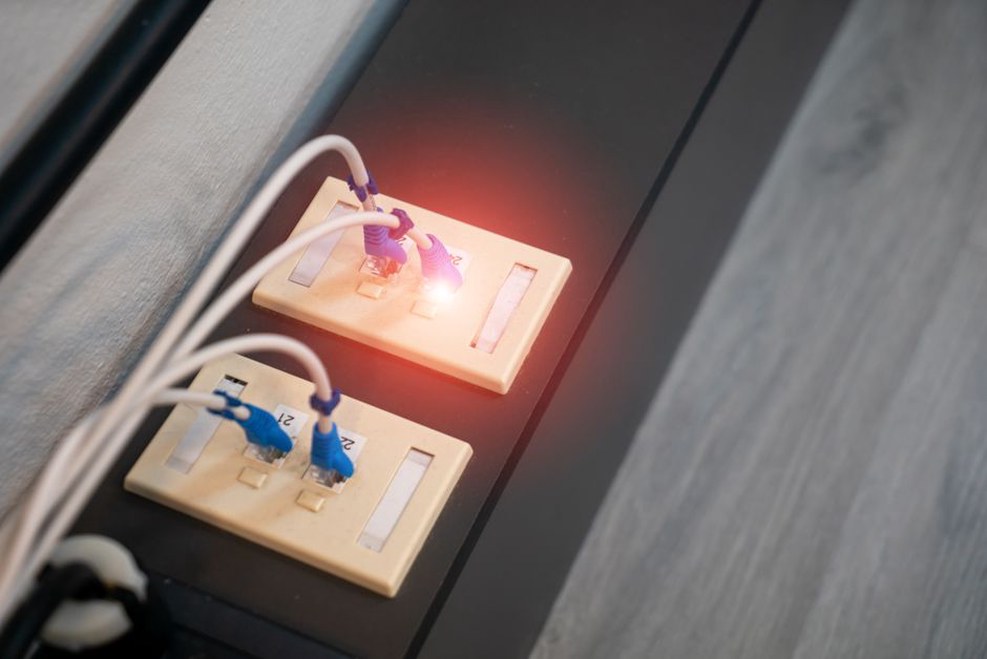
Fiber to the home often has good upload speeds, but don’t assume the upload and download rates are equal. Cable can deliver fast downloads with slower uploads, depending on the local network and the plan. DSL performance depends partly on the length and condition of the copper line. Fixed wireless, including cellular home internet, depends on signal quality, equipment placement and how busy the local network is. If satellite is your practical option, check latency, data limits and installation requirements alongside speed.
For the plans on your shortlist, look for the speed you can normally expect during busy hours rather than the advertised maximum. If the contract specifies a minimum, find out how the provider measures it and what happens if the service repeatedly falls short. Ask someone in your building or on the same local network about their experience. A review from another city may tell you little about how the connection behaves at your address on a busy evening.
Separate an internet problem from a Wi-Fi problem
If the connection feels slow in a back room, test near the router before paying for a faster plan. If possible, also test with a computer plugged in by Ethernet. Pause large transfers and repeat the tests at quiet and busy times. If the wired connection is consistently good but Wi-Fi is weak where you work, moving the router or adding a wired access point may do more than upgrading the plan. If the wired connection is slow too, write down the times and results so you have something specific to show the provider.
4. Price each plan over the same period
Pick a period that reflects how long you expect to stay, such as 12 or 24 months. Multiply each monthly rate by the number of months it applies, then add required equipment fees, installation, activation and any applicable taxes. Subtract only the credits you expect to qualify for. If the contract runs longer than your comparison period, include any fee you’d pay to leave at the end of that period.
| Cost item | Plan A | Plan B |
|---|---|---|
| Service | €25 for 6 months, then €45 for 6 months | €36 for all 12 months |
| Required router rental | €5 per month | Included |
| Activation | €40 | €0 |
| First-year total | €520 | €432 |
| Average per month | €43.33 | €36.00 |
Plan A starts at a lower monthly rate but costs €88 more in the first year. If you expect to stay longer, work out the second-year cost separately and check whether the renewal rate is confirmed or can change.
For a bundle, compare the whole household bill with and without it. A discount tied to a mobile plan won’t save you money if keeping that plan costs more than you’d save by switching it separately.
5. Check the terms that can change the result
Once two plans meet your speed needs, the terms can matter more than a higher download speed. Check these before deciding which plan costs less:
- Data allowance: Ask what happens if you go over the cap: extra charges, slower speeds or another restriction. Check whether uploads count, too. The first cloud backup of a large archive can use far more data than an ordinary month of browsing and streaming.
- Equipment: Find out whether you can use your own router, whether you’ll still need the provider’s modem or fiber terminal, and what you’ll have to return. No rental fee doesn’t necessarily mean the equipment is yours to keep.
- Moving and cancellation: Check notice periods, early exit fees and what happens if the provider can’t serve your next address. If you’re likely to move, a cheaper fixed-term deal can end up costing more than a flexible plan.
- Repairs: Check support hours and how to report a fault, especially if several people work from home. A target response time isn’t the same as a contractual commitment to fix the line.
If you need to reach a music archive stored at home while you’re away, check whether your setup requires incoming connections. If it does, ask whether the provider uses carrier-grade NAT, which can prevent conventional IPv4 port forwarding, and whether a public IP address is available or costs extra. This usually isn’t an issue if you’re just uploading files to a cloud service.
6. Verify the plan before ending the old service
Save the order confirmation showing the plan tier, the price after the promotion, any equipment fees and the installation date. If you can’t afford a gap in service and the two connections can run independently, budget for a short overlap. If the new provider is taking over the same line, ask who handles cancellation before contacting the old provider yourself. Cancelling too early could interrupt the transfer.
Once the new line is active, run a wired speed test, then try the task that prompted the switch. Take a video call while an archive backup runs, or send a folder of high-resolution scans like the ones you normally work with. If there’s a trial or cancellation window, put the deadline on your calendar when you order so you have time to test on a busy evening, not just while the installer is there.