
“Band on stage” tells a reader little about a photograph of three musicians playing beneath a venue banner. If the post identifies the band and discusses the performance, “Three members of the band perform beneath the venue banner” is more useful. It also avoids claiming the photograph proves the date or setlist. Good alt text begins with what the image shows and takes its place in the article into account.
Alt text is the written alternative supplied through an image’s alt attribute. A screen reader may announce it when it encounters the image, and it can appear if the image fails to load. It is not a place to catalogue every visible detail or tuck search terms into a page. Its job is to give someone who cannot see the image the information they need at that point in the article.
Decide what the image contributes
Before writing, ask why the image is there. In a Finnish thrash-metal archive, a photograph might document a musician’s appearance, show a physical edition of a release, reproduce a gig flyer as historical evidence, or simply add atmosphere between sections. The same photograph can need different alt text in different posts because the surrounding words change what a reader needs from it.
Suppose a post explains how one cassette edition differs from a later pressing. A photograph of both covers side by side might need “Two cassette covers with different artwork and label layouts.” If the paragraph immediately before the image already explains those differences, a shorter description may do. There is no need to copy the caption word for word: captions and alt text serve overlapping readers, but they have different jobs.
Try removing the image in your mind. What fact, comparison, or sense of the object would the reader lose? Put that contribution into plain language. If the honest answer is “nothing,” the image may be decorative. Give a decorative image an empty alt attribute, written as alt="", so assistive technology skips it. Do not simply omit the attribute; a screen reader may then announce a file name or other unhelpful information. Check the published page to make sure the publishing system’s “decorative” setting produces an empty attribute.
Separate description from interpretation
Describe what can be seen, not what the image invites you to assume. A musician leaning toward a microphone can be described that way; a still photograph cannot tell you that “the crowd hears the final song.” A close-up of a worn sleeve may show creases, handwritten markings, or a price sticker. It cannot establish who owned the record or how often it was played.
That distinction matters in an archive. An upload name, old caption, or handwritten note may suggest a date or venue without confirming it. Do not turn uncertain metadata into confident alt text. If reliable evidence in the post establishes the date, naming it may help identify the image. Otherwise, describe the visible scene and address the uncertainty in the prose or caption.
Write the shortest description that does the work
Lead with the subject and the action or feature that matters: “Guitarist plays beside a drum kit under red stage lights” is easier to follow than a string of disconnected details. There is no universal word limit. A concert photograph may need only a brief phrase, while a diagram or legible historical document may need a longer explanation nearby. Be economical, not rigid about character counts.
You can usually skip “image of” and “photo of”; assistive technology commonly signals that an image has been encountered. Make an exception when the medium matters. “Scanned flyer with a hand-drawn band logo” tells the reader something “band logo” does not: the flyer is a historical object in its own right.
Use specific names when they are verified and relevant. If the article identifies a band and the photograph is confirmed to show it, the band’s name is more useful than “musicians.” If you cannot identify someone with confidence, describe their visible role instead. You need not name everyone in a crowd—just the people or objects that explain why the photograph appears there.

Choose details by editorial purpose
Colour, position, and appearance matter when they distinguish what the post discusses. If two vinyl sleeves have nearly identical designs but different background colours, say so. If the photograph shows a compact stage setup, mention the closely placed drums and amplifiers, not a musician’s shoes. Praise such as “legendary,” “iconic,” or “incredible” tells a reader little about what is pictured.
Keep descriptions of people grounded in visible facts, too. Clothing, instruments, posture, and placement may be relevant. Guesses about age, identity, mood, disability, or ethnicity can be wrong and rarely help. “Vocalist raises one arm beside the microphone” describes an action; “vocalist celebrates a triumphant show” supplies an interpretation the image cannot confirm.
Handle common archive images differently
Cover art, tour maps, and scans of printed programmes call for different details. Use the image’s role in the article as your guide:
- Concert photographs: Identify the verified performer when relevant, then give one or two visible details that explain the photograph’s placement, such as the stage arrangement, audience proximity, or instruments.
- Release covers: Name the release if the post confirms it. Describe distinctive artwork or typography when it helps readers tell editions apart; do not repeat every printed word unless it matters.
- Physical releases: Describe the format and the feature under discussion: a cassette shell, insert, label, sleeve, or comparison between copies. Mention damage only if it is relevant.
- Flyers and posters: Identify the item and include essential readable details not supplied nearby. Do not silently correct or guess at partially legible printing.
- Charts, maps, and diagrams: State the main point in alt text. If the visual depends on several relationships or data values, explain those in ordinary page text as well.
“Flyer listing three bands at a Helsinki venue” may be enough if the article transcribes and discusses the full bill. If the flyer is the only place the bill appears, that description withholds important information. Add the verified names near the image or provide a readable transcription. Alt text can identify a document, but it is a poor place to put an entire poster’s small print.
Logos also depend on context. In a list of releases, a band name may be all a logo needs. In a post about logo design, its lettering, shape, or motif becomes relevant. If the logo merely repeats a name already in the heading, empty alt text may be appropriate. There is no permanent description that suits every use of the same file.
Keep alt text, captions, and surrounding prose in their own roles
A caption is visible to readers and can give attribution, dates, uncertainty, or context that would weigh down a compact image description. Alt text provides an alternative to the image; article prose can develop a comparison or explain why the evidence matters. They can support one another without repeating the same sentence.
Take a photograph of a record sleeve with a handwritten note on the back. Its alt text might read, “Back of a record sleeve with a handwritten note near the track list.” The caption could identify the specific copy and say that the note’s author is unknown. The article could then explain why the note is included but cannot establish a release date. Each part helps without asking the image description to carry the whole argument.
For a longer discussion of preserving context during site changes, Redesigning a Finnish Thrash Archive Without Losing Its History addresses the wider editorial problem. Alt text is part of it: move an image to another article, or change the copy around it, and its old description may no longer fit.
A practical method for drafting and editing
Write alt text while you can see both the image and its intended placement. Working from a media-library thumbnail weeks later makes it easier to miss why the editor chose the image. This sequence keeps the task manageable:
- Read the nearby heading and paragraph. Identify the point the image supports.
- Inspect the image at a useful size. Check what is visible and which words are genuinely legible.
- Choose a subject. Lead with the band, object, document type, or visual relationship that matters most.
- Draft one plain sentence or phrase. Add only what is needed to distinguish the image or convey its function.
- Check claims against the article’s evidence. Remove inferred dates, venues, identities, and emotions unless they are established and relevant.
- Read it alongside the surrounding text. Cut needless repetition and make sure a reader who misses the image still gets its important contribution.
This check also catches descriptions that sound like file names or search queries: “Finnish thrash metal band live concert Helsinki guitar.” A natural alternative might be “Guitarist plays on a small stage beside the drum kit,” with a verified band name added if identification matters. Include a place name when it helps communicate or identify the image, not merely because it is a keyword associated with the post.
Review the published page, not just the editor
A content-management system may offer a media-library alt-text field, an image-block setting, and a separate caption field. These can behave differently, especially when an image is reused. Inspect the published page: check that the intended text is in the image’s alt attribute, the caption has not been substituted for it, and a decorative image has alt="" rather than no attribute. If the image is also a link or button, its accessible name needs to say what activating it does; appearance alone may not be enough.
Check each reuse. A cover scan in an article about artwork may need its design described; the same scan linking to a release entry may need to identify the destination. Copying one description everywhere fills the field without necessarily helping the reader. Before changing a shared media-library entry, find out whether your publishing system allows per-use overrides and which posts the change will affect.
Examples: what changes between a weak draft and a useful one
The right revision depends on verified context. These pairs show what to look for:
- Weak: “Band playing live.” Better: “Vocalist sings between two guitarists on a narrow stage.” The revision shows the visible arrangement without inventing a venue or date.
- Weak: “Awesome rare cassette.” Better: “Clear cassette shell with a handwritten label.” It replaces a value judgment with details the word “cassette” cannot supply.
- Weak: “Poster.” Better: “Black-and-white gig flyer with three band names above the venue details.” It identifies the document and its layout. If the names matter, put them in accessible page text too.
- Weak: “Image of album art for Finnish thrash metal release.” Better: “Cover artwork showing a skull against a yellow background.” When the verified title appears beside the cover, the visual distinction may be more useful than repeating it.
These are editing examples, not claims about particular bands, releases, or shows. In a real archive entry, check the underlying material before adding names or historical details. If a scan is too small to read reliably, do not fill the gaps with a likely-looking transcription.
Give complex visuals an accessible explanation nearby
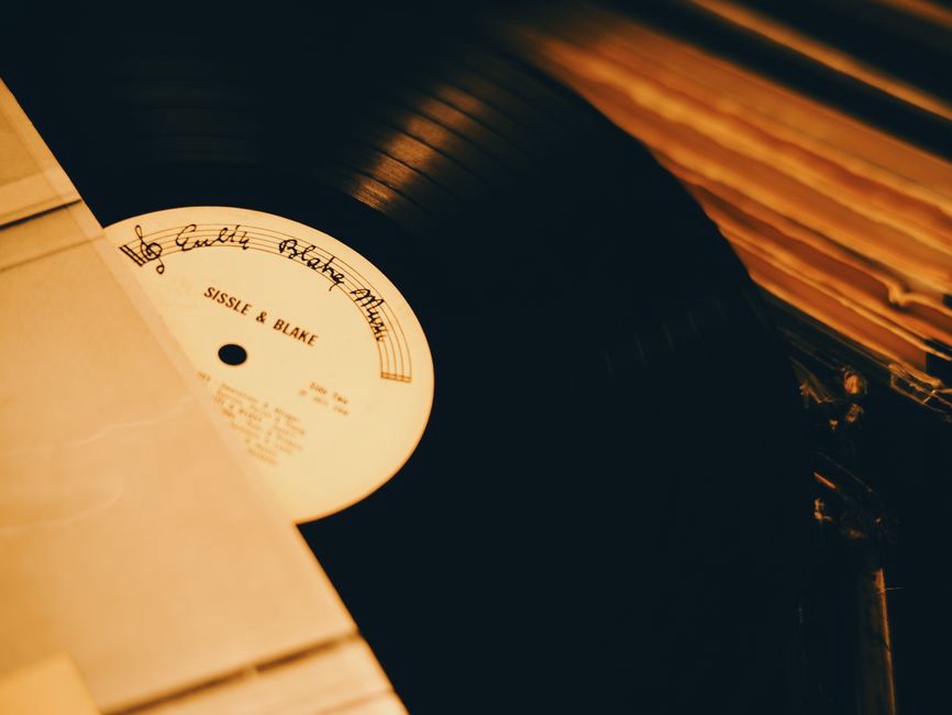
A short image description cannot carry every entry in a release timeline or every stop on a tour map. State what the visual represents and its main takeaway in alt text, then put the details in the article. A timeline may call for each confirmed release and date in the prose; a comparison chart may work better as an HTML table with clear headings and values. Readers can then move through the information without having to listen to one long image description.
Be especially careful with photographs of documents. Enlarging a scanned insert may make its printing readable to some visitors, but not everyone. If the wording is evidence, transcribe the relevant passage in the article and mark uncertain characters rather than placing a guess in alt text. The alt text can identify the scan and the relevant part of the page.
Before publishing a release comparison, read one example in sequence—heading, paragraph, alt text, caption—without looking at the image. If you learn that two cassette labels differ but not how, add the verified difference where it belongs. A reader should not need sight to find out that one label has red lettering and the other has black.