
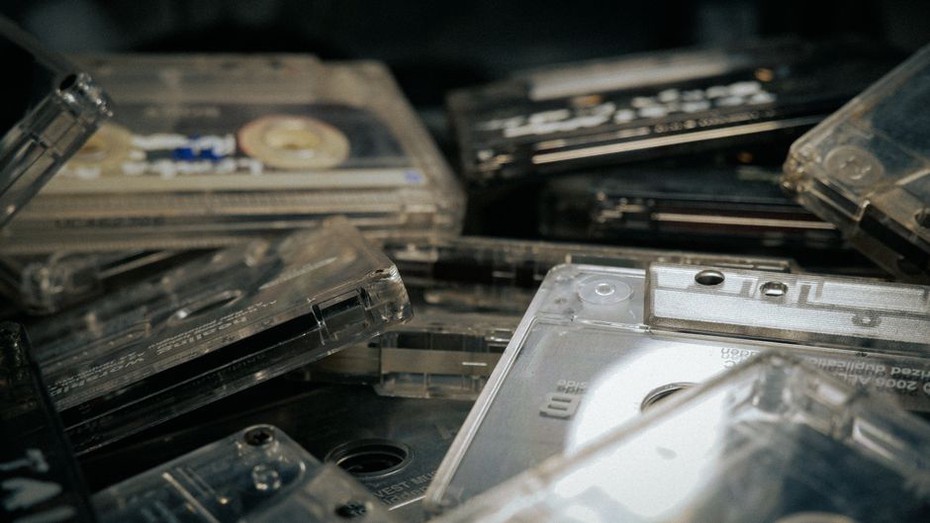
A demo cassette can be documented meaningfully without putting the complete recording online. Begin with the physical and documentary evidence: shell markings, insert typography, track listing, recording credits, stated year, duplication method, and provenance. These details allow collectors and heavy-music listeners to study an underground release while the archive keeps copyrighted audio under appropriate control.
Define the exhibit around the demo as an object
The exhibit should not become a general discography with a few cassette scans attached. Its central unit is the individual demo and the evidence carried by that copy. Each item page can place the recording within the Finnish thrash community without making claims the surviving material cannot support.
A concise item record might contain:
- Band and release title: transcribed as printed, with uncertain characters visibly marked rather than silently corrected.
- Format: cassette, CD-R, digital file, or another documented carrier.
- Track listing: preserving the printed order and spelling.
- Credits: recording, mixing, artwork, photography, duplication, or contact details when they appear on the object.
- Date: only when supported by the release, accompanying correspondence, or another identified source.
- Provenance: how the archive acquired the copy and which parts of its history remain unknown.
- Rights status: the archive’s current basis for displaying scans, excerpts, or descriptive metadata.
This structure helps prevent familiar archival errors. A handwritten date should not automatically be presented as a release date, and a seller’s description should not be treated as a band statement. If two copies have different inserts or shell labels, document them as variants rather than assuming which one appeared first.
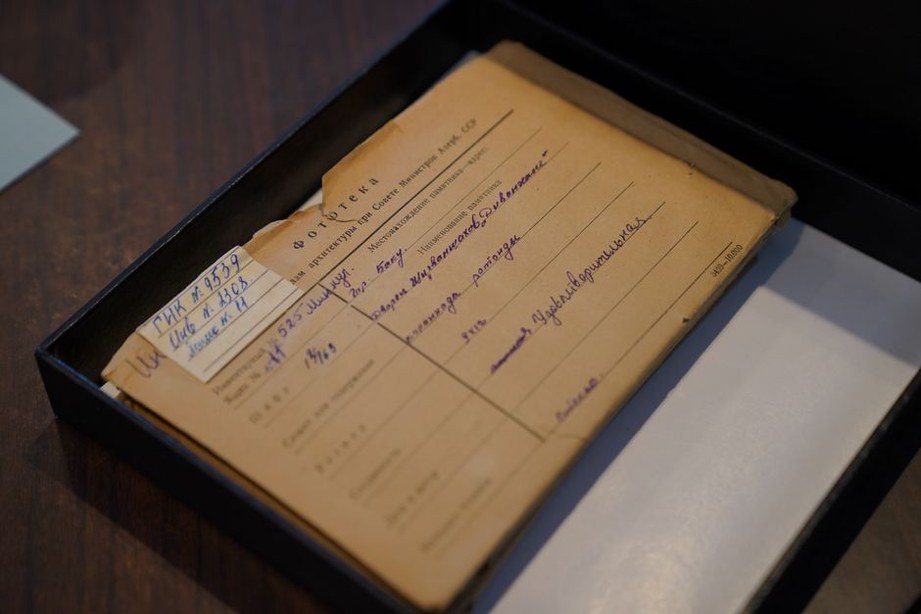
Separate public access from collection management
A lightweight public website and a collection-management system perform different jobs. The public layer lets visitors browse approved descriptions and media. The management layer stores accession data, donor restrictions, preservation notes, rights correspondence, high-resolution masters, and other private or operationally sensitive information.
Keeping the layers separate reduces the risk of accidental publication. The public site can receive selected fields and prepared derivatives through a controlled export. An internal record may contain a donor’s contact information, for example, while the published item shows only a neutral provenance statement.
Use three access levels
- Public: catalogue metadata, approved object photographs, brief contextual notes, and media cleared for unrestricted display.
- Limited: material available under specific conditions, such as on-site research access or a password-protected review area, where the archive has a valid reason and permission to provide it.
- Closed: preservation files and documentation that cannot currently be shared.
These are archive-defined categories, not universal legal classifications. Copyright, data protection, contracts, and exceptions vary by material and jurisdiction. Before publishing recordings or personal information, consult the relevant rights holders and applicable official guidance. The absence of a visible copyright notice does not establish permission to distribute a recording.
Build pages from small, durable components
A static-site generator or modest content-management setup is usually enough for an exhibit built from text, compressed images, and selected media. Item records can be stored as structured fields and rendered through one reusable template. Corrections are then easier to manage than they would be across individually designed pages.
| Component | Public purpose | Implementation restraint |
|---|---|---|
| Item heading | Identifies the demo clearly | Use text rather than a title embedded only in an image |
| Object view | Shows cassette, disc, or insert | Load a compressed display image and link to a larger approved derivative only if needed |
| Metadata block | Presents evidence consistently | Render structured fields without decorative scripts |
| Context note | Explains a documented connection | Keep citations close to factual claims |
| Media element | Provides authorized audio or video | Do not preload large files; include a transcript or description where appropriate |
Plain HTML links, native browser controls, and system fonts can support most of the experience. Visitors should still be able to identify an item and read its metadata when JavaScript is unavailable. Features such as filtering can be added progressively rather than made prerequisites for access.
Set an interaction budget from an observable comparison
The practical design question is which barriers and controls are justified when someone examines a small archival object. A compact browser-based service built for immediate interaction offers a useful comparison, even though its purpose differs from archival research.
For comparison, the Ludibre browser-game catalogue declares no account, download, or ad wall and says its in-house games have a small footprint and work by thumb or keyboard. Those claims provide a bounded access test: can a visitor reach and operate the exhibit’s primary material without unnecessary gates, heavy delivery, or reliance on one input method?
A game catalogue and a cultural archive are different entities, so gameplay design does not determine historical interpretation. Applied narrowly to the demo exhibit, however, the comparison changes the acceptance criteria. Public metadata and cleared images should require neither registration nor a download; the initial page should remain small; and browsing controls should work by touch and keyboard. Authentication still belongs where genuine access restrictions require it, but it should not block openly available catalogue information.
Design navigation around evidence, not novelty
Useful entry points include band name, documented year, format, recording location when stated, and related people or organizations supported by the records. Avoid filters based on speculation. A tag such as “first-wave influence” needs an explained editorial basis; otherwise, interpretation can appear to be established fact.
Each item should have a stable address and a short breadcrumb trail. Previous and next links help within an editor-defined sequence, but they should not be the only route between records. A compact index lets a collector looking for one title bypass the exhibition path, while a thematic section can discuss artwork, production notes, or evidence of circulation across several demos.
Make uncertainty visible
Archival precision includes acknowledging what remains unresolved. Use phrases such as “date not stated on this copy,” “credit transcribed from the insert,” or “identity not confirmed” instead of filling gaps from memory. Editorial notes should also be visually distinct from text printed on the release.
Corrections need a trace. A brief revision note can record which field changed, why it changed, and which source supported the amendment. This becomes especially useful when variant copies surface or a contributor supplies better documentation. Do not replace an uncertain statement with a confident one merely because it has been repeated elsewhere.
Prepare images and audio without creating a shadow release
Photograph the object at sufficient resolution for preservation, then create smaller display derivatives. Keep the preservation master in managed storage rather than the public web directory. Where permission allows, offer readable details of inserts, but consider whether a full printable reproduction would exceed the archive’s authorization.
Audio requires a separate decision for every item. An archive may be able to preserve a recording without having permission to stream or distribute it publicly. Where authorization exists, a short excerpt may support discussion of guitar tone, vocal delivery, drum sound, or recording texture. Record the permission, the permitted uses, any territorial or time limits, and the identity of the approving party.
If permission is absent or uncertain, publish descriptive metadata instead of the file. Do not upload complete demos, provide unofficial download routes, or direct visitors to unauthorized copies. A track-duration field, documented personnel credits, and a careful physical description can still make the item useful to researchers.
Test the exhibit on constrained devices
Performance testing should reflect the likely reading task: opening an item, enlarging one approved image, moving to a related record, and returning to the index. Check those actions on a narrow screen, with keyboard-only controls, at enlarged text settings, and over a throttled connection.
- Give every informative image concise alternative text.
- Keep visible focus indicators on links and controls.
- Label filters with text rather than unexplained icons.
- Avoid autoplaying audio and background video.
- Specify image dimensions to reduce page movement while assets load.
- Use pagination or a restrained “load more” control instead of delivering the entire collection at once.
Measure the first item page before adding analytics, custom fonts, animated transitions, or third-party embeds. External services can increase page weight and create privacy or continuity concerns, so each one needs a clear archival purpose. A basic privacy notice should describe the data the site actually collects rather than rely on generic language.
Create a repeatable publication check
A short review form helps maintain consistent standards when several volunteers or editors prepare records. Require confirmation that names and dates match the cited evidence, public files are derivatives rather than preservation masters, rights notes have been checked, and private fields are excluded from the export. Preview the record outside the administrator’s session so accidental access dependencies become visible.
For a practical first release, publish one fully documented demo record, one index page, and one contextual note. Open the item on a phone, disconnect any logged-in archive account, reach it using only the keyboard, and inspect the public file directory. Duplicate the template across the collection only after that record passes the check.