
When you replace a furnace filter, write down the date and what you found. Six months later, that note answers a question a calendar reminder cannot: did you change the filter, or was it only due? A home maintenance record should keep planned work and completed work distinct without becoming a chore of its own.
For most homes, a notebook or spreadsheet will do. Give it three sections: an inventory of equipment and important components, a schedule of recurring tasks, and a log of completed work and problems noticed. A binder works just as well if you prefer paper. Choose a place you can reach when a technician asks for a model number or you need to check when a leak first appeared.
Start with what belongs to the home
Make a short inventory before writing a long task list. Include major equipment such as heating and cooling units, a water heater, ventilation fans, and any sump pump. Add things you might need to locate quickly: the main water shutoff, electrical panel, accessible cleanouts, and smoke and carbon monoxide alarms. For each item, record its location, make and model if applicable, and where to find its manual or warranty paperwork. Include an installation date only if you can verify it; a blank field is better than a guess that later looks like a fact.
Use names you'll recognize, such as “upstairs bathroom exhaust fan,” rather than codes. If you have several similar items, add the room or floor. A photo of the rating plate can help, but store private documents and images somewhere you control. Maintenance records may contain access details and personal information; they do not need to be public or held in an app with broad permissions.

Build a schedule you can actually use
Group tasks by what determines their timing. Some follow a calendar, such as testing alarms according to the manufacturer's instructions. Others depend on use, equipment condition, local climate, or an event, such as heavy rain followed by a basement check. Let equipment manuals and local requirements take precedence over a generic checklist. Giving every filter or appliance the same interval may make a spreadsheet look tidy, but it won't make the schedule useful.
A task entry needs only a few fields:
- Task: Describe the action precisely, such as “inspect visible supply hoses for leaks,” rather than “check plumbing.”
- Item or location: Identify the appliance, room, or exterior area.
- Trigger or interval: State a due month, manufacturer-specified interval, usage threshold, or event.
- Last completed: Fill this in only after doing the work.
- Next action: Record the next due date or the condition that should prompt another check.
- Responsibility: Mark whether a household member can handle the task or it requires a qualified professional.
Keep inspection separate from repair. “Look for staining beneath the kitchen sink” is a routine check; “repair a leaking pipe” is a new job with its own urgency, cost, and outcome. Put them on the same repeating row and you may mark a problem complete when you've only discovered it.
Use broad categories, not an exhaustive catalog
Start with safety devices, water and moisture, heating and cooling, exterior drainage, and appliances. Add tasks for equipment your home actually has. A household without a sump pump needs no sump-pump row. An apartment renter may be better served by a record of issues reported to building management than by a schedule for servicing shared equipment.
For seasonal checks, allow a practical window rather than insisting on one day. “Inspect gutters after leaves have fallen” may work better than a fixed date where autumn weather varies. If a check turns up a hazard or active water leak, move it to the problem list and act according to its urgency; don't leave it in the seasonal queue.
Record outcomes, not just checkmarks
The work log is the house's history. Each entry should say when something happened, where, what you observed or did, and what remains unresolved. “March 14: water heater closet; found floor dry, no visible corrosion at accessible connections” gives you a baseline. “Water heater checked” does not. Stick to observations instead of diagnosing a fault you cannot confirm.
When someone else does the work, note the company or professional, the date, the scope of work, and where the invoice or report is stored. Keep the professional's findings in their own words when they matter. “Technician recommended replacing the worn valve; appointment pending” says more than a service visit marked complete.
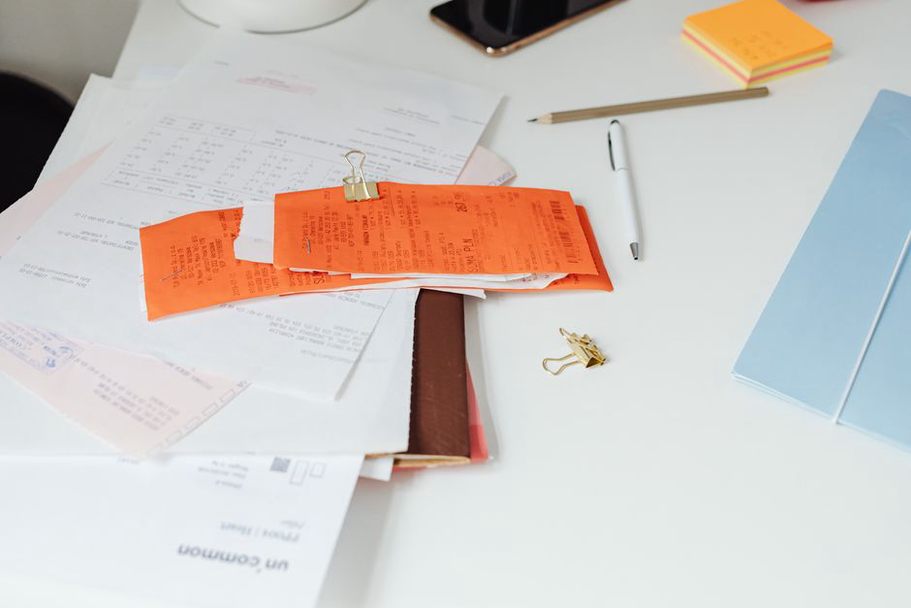
Attachments help if you can still find them. A before-and-after photo might document a stain, damaged seal, or repair. Name files descriptively and include dates; keep receipts and manuals in a folder referenced by the log. There's no need to embed every document in a spreadsheet.
Give open problems their own short list
A recurring schedule covers the usual work, not a slow drip, an intermittent noise, or a contractor visit awaiting a quote. Give open issues a separate section with a brief description, the date first noticed, current status, and next action. Status labels can be as simple as observe, scheduled, waiting for quote, and resolved.
Record changes while you remember them. If a ceiling mark grows after rain, note the date and approximate extent; photos taken from the same position can help show a change. But don't delay action on an active leak, electrical concern, gas smell, or other immediate hazard just to build a better history. Follow the appropriate emergency guidance or contact a qualified professional.
Close an issue only when you can describe the outcome. If the repair is done but the area still needs monitoring, make that a dated follow-up task. The open list stays short without pretending every question has been settled.
Choose the simplest format that survives daily life
A notebook gives a household one physical place for notes, receipts, and service reports. Reserve pages at the front for the inventory and schedule, then use dated entries for the log. Page numbers and a brief index make old entries easier to find. A spreadsheet is handy if you want to sort by due date or filter open issues; use separate tabs for inventory, recurring tasks, and work history. Calendar reminders can point you back to the record, but they aren't proof that work was done.
Make the record usable by someone else in the household. They should be able to find the water shutoff, see which problem is awaiting service, and locate the warranties. Back up a digital file and decide who can edit it. Keep a paper record somewhere predictable and protected from routine spills—not beside equipment that could leak.
Keep reminders and records separate
A reminder prompts you to act; a log entry records what happened. When a task comes due, check the equipment instructions, do or arrange the work, and enter the completion date and result. Set the next reminder using the appropriate interval or trigger. If you skip a task, leave it visibly overdue or say why it was deferred. Quietly moving the due date hides the missed check.
Look over the schedule once a month for upcoming work and open problems. Specific entries should make that a quick job. Once a year, compare the inventory with what's installed, remove tasks for equipment that's gone, and add new manuals or service records. Check whether existing reminders still match the manufacturer's guidance and how you use the equipment.
Set up the first version in one sitting
- Choose a notebook, binder, or spreadsheet, and label sections for inventory, schedule, work log, and open issues.
- Enter the major equipment and the locations of shutoffs, the electrical panel, and safety alarms.
- Read the available manuals and add a modest set of recurring tasks with intervals or triggers you can support.
- List any unresolved problems separately, with a next action for each.
- Add one calendar reminder to review the system next month.
Add to the record as work happens; you don't have to reconstruct years of uncertain history. If you don't know when a filter was last changed, write “last change unknown,” check the filter and its instructions, and record the next actual change. That verified date gives you somewhere reliable to start.